
01
Add your invoice details
Enter your sender information, client details, invoice number, invoice date, payment terms, and preferred payment method.
Billwise helps freelancers create clean invoices from working days, hourly rates, daily rates, fixed services, payment details, and optional timesheets. Start without an account, review the live preview, and download your invoice as a PDF.
Billwise guides you through the core invoice workflow: add invoice details, define your services and working hours, then export a ready-to-send PDF.
Enter your sender information, client details, invoice number, invoice date, payment terms, and preferred payment method.
Choose timesheet, hourly, daily, or fixed billing. Select a month, generate working days automatically, and adjust hours where needed.
Review the live invoice preview, check the total, and export a ready-to-send PDF with an optional timesheet page.
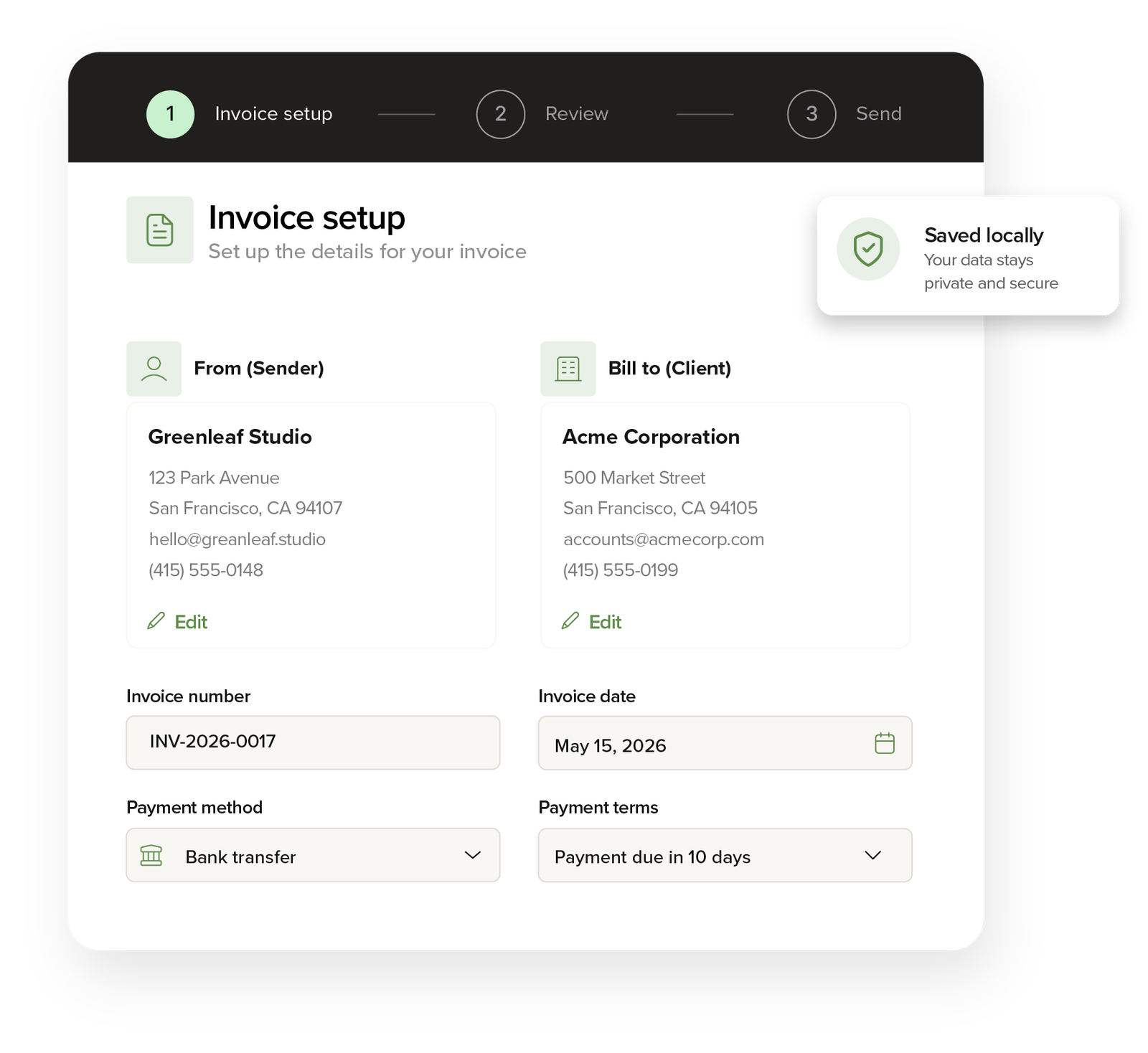
Add your details, services, working hours, payment method, and download a clean PDF invoice.
Use Billwise without an account. Your draft is saved locally in your browser. Create a free account only if you want to save invoices to your dashboard.
Billwise is currently in beta. Always review your invoice details and PDF before sending it to a client.
Billwise turns the repetitive monthly invoice process into a simple workflow: select a month, review your timesheet, and export a clean PDF invoice.
A typical monthly invoice means opening old files, replacing dates, counting working days, checking hours, and recalculating totals manually.
Billwise generates the working period, calculates the hours, keeps your payment details in place, and prepares a clean PDF invoice.
Billwise is built for freelancers who invoice by month, day, hour, or project. It keeps the process simple: add your details, define your services, review the calculated total, and download a clean PDF invoice.
Generate editable working-day entries for any month, with default hours, optional weekends, and an optional timesheet page in the PDF.
Use timesheet, hourly, daily, and fixed-price services in the same invoice.
Add Wise, PayPal, Payoneer, bank transfer, or custom payment instructions.
Your draft is saved in your browser so you do not lose work after refreshing the page.
Create invoices without signup, or log in to save invoices to your dashboard.
Download a professional invoice PDF that is ready to send to your client.
A compact timeline of improvements added to the invoice generator. For feature requests, contact info@billwise.dev.
Added company logo upload for invoices, and a refreshed sidebar experience.
Improved timesheet entry logic, PDF export flow, invoice preview layout, and added the mobile overview button.
Fixed PDF export issues on mobile devices, ensuring the download works smoothly across all platforms.
Download your invoice setup as JSON and import it later on another browser or device.
Added 10 invoice currencies, including BAM and Serbian dinar.
Preview and PDF invoices can now be generated in English, German, or Bosnian.
Improved compact controls, invoice preview spacing, and sidebar action layout.
Timesheets support entries like 8.15 or 8:15 and display totals as readable durations.
Drafts are saved automatically in the browser with a clearer save status.
Added default rates, editable working days, and cleaner estimated totals.
Create browser-saved freelancer invoices with services, working hours, and PDF export.
Answers about timesheet invoices, PDF export, browser autosave, payment details, and using Billwise without signup. Contact at info@billwise.dev for other questions or feedback.
Yes. Billwise is currently free to use and does not require signup. You can create an invoice, edit your details, and export a PDF directly in the browser.
A timesheet invoice is an invoice that includes the work period, worked days or hours, rates, services provided, and the total amount due. It is commonly used by freelancers and contractors who bill clients based on time worked.
Billwise generates working-day rows for the month you select. You can choose whether to include Saturdays or Sundays, set default hours per day, and manually adjust individual timesheet entries.
Yes. Billwise supports timesheet-based billing, hourly billing, daily billing, and fixed-price services. You can also mix multiple billing types in the same invoice.
Yes. You can set a default daily or hourly rate. Billwise calculates the equivalent rate automatically and applies the correct default rate when you add new services.
Billwise saves your current draft in your browser using local storage. This helps prevent losing your work after refresh, but it is not cloud storage and the draft stays on the browser and device you are using.
Yes. You can add payment terms and payment details for Wise, PayPal, Payoneer, bank transfer, or a custom payment method.
Yes. Billwise exports a clean PDF invoice. If you use a timesheet service, the PDF can also include a separate timesheet page with the generated working days and hours.
No. The public invoice generator works without an account. Account features may be added later for users who want saved invoices, clients, templates, or invoice history.
No. Billwise is an invoice generator, not full accounting software. You should always review invoice details, tax settings, payment information, and totals before sending an invoice to a client.